Overview
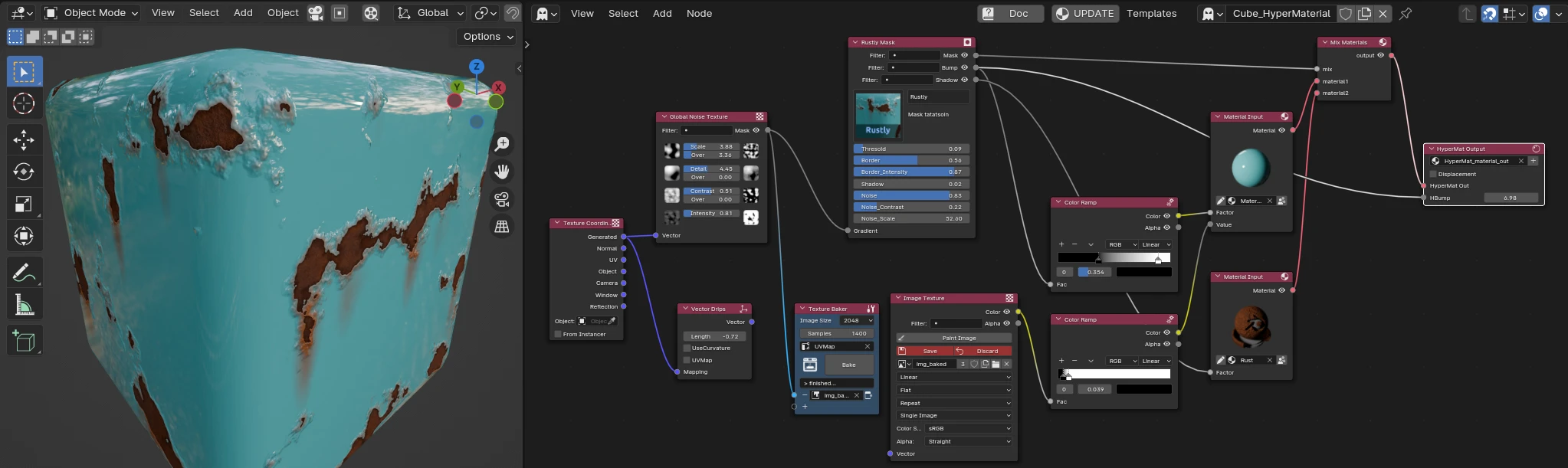
What is Ghost Matter?
Ghost Matter is a Blender add-on that makes mixing materials simple, inside a dedicated node editor kept separate from the shader graph.
Drop your materials in, stack masks and textures with a per-node mix mode, and get a ready-to-use material out — no shader spaghetti. Any material works, with no special setup.
No more shader spaghetti
Blending materials in the standard Shader Editor quickly turns into a tangle of Mix Shader, math and mapping nodes. Ghost Matter replaces that with a clear, purpose-built tree, plus a library of quality-of-life nodes that shortcut the tasks artists hit again and again — each designed to keep your tree small and readable.
You still get all the standard Blender material nodes (except the shader ones), plus Ghost Matter's own material-mix and tool nodes.
How it works
Ghost Matter works in two layers:
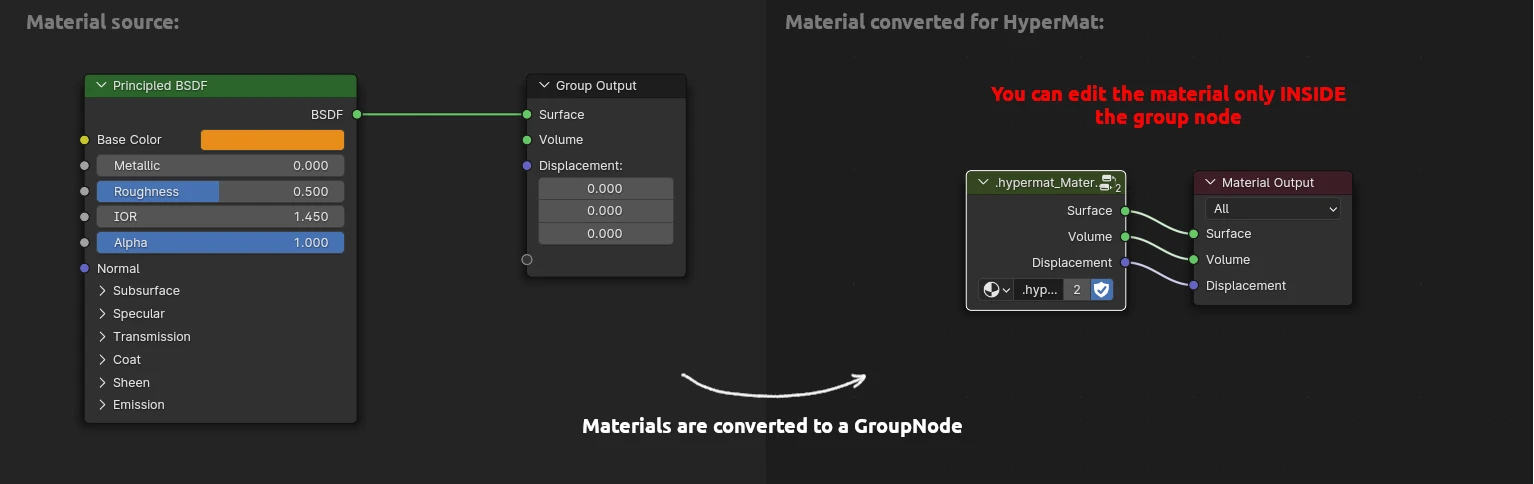
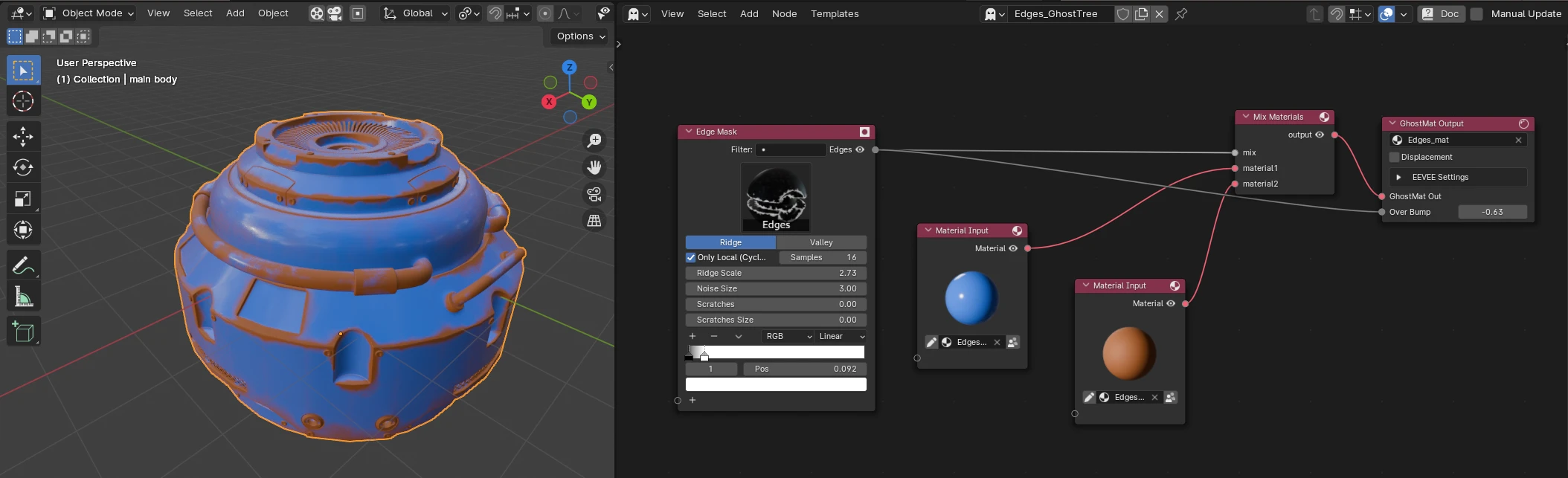
1 — The GhostTree (what you edit). Bring any Blender material into the tree with the Material Input node — it's converted on the fly into a Ghost Matter-compatible format. Then combine materials, masks and textures.
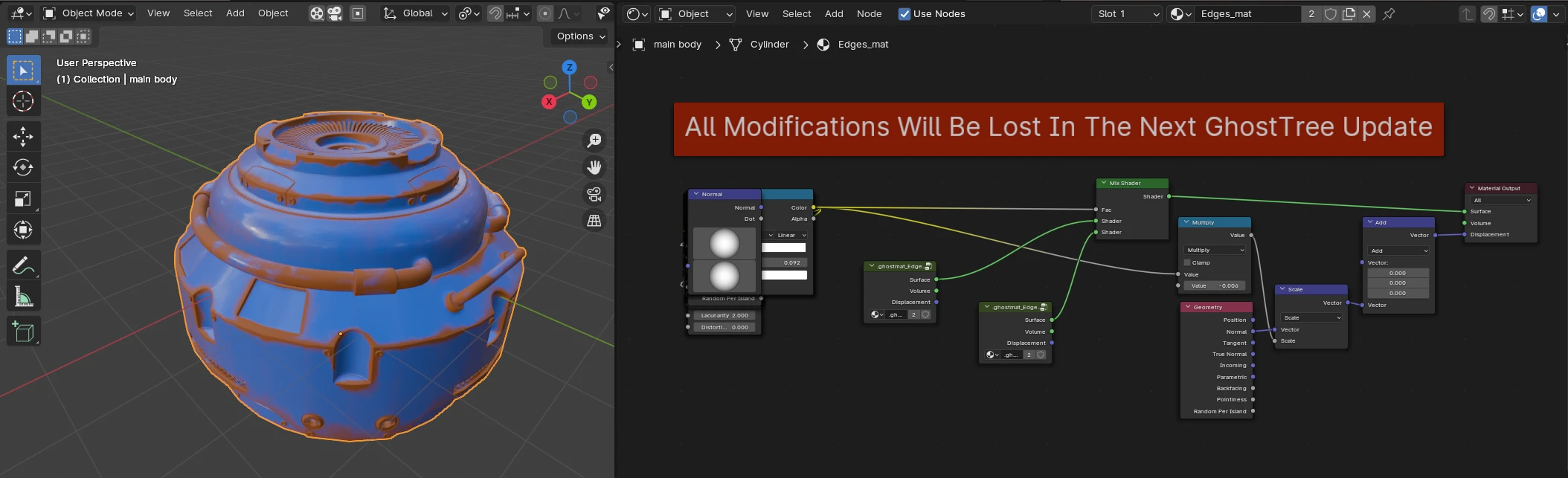
2 — The Output Material (what you get). From the whole tree, Ghost Matter generates and keeps up to date a single real Blender material — the tree's Output Material. This is the material that ends up on your object, and it works on its own, without the add-on.
The Output Material is managed from the editor header bar (next to the GhostTree selector), which also flags when your object isn't using it — see GhostTree & Output Material.
You never touch the generated material
Everything happens in the GhostTree (and by double-clicking Material Input previews to edit their materials). The generated material is rebuilt automatically — you don't edit it by hand. Updates run live; you can also force one with the Manual Update  button, or the eye icons on node outputs.
Under the hood, that Output Material is a combination of standard Blender material nodes, updated on the fly. You don't interact at this level.
Export to textures
Because the result is a real material, Ghost Matter can also bake the whole tree down to texture maps. Use it to speed up rendering on heavy scenes — a set of baked textures is far lighter to evaluate than a live node graph — or to take your material into other software (game engines, external renderers…). See Bake to Textures.
What's inside
A library of nodes that replace shader-graph busywork, each kept small and readable:
- Smart masks — edges, scratches, dirt, damage, oxidation, splatter…
- Procedural inputs — curvature / pointiness, fabric, gradients, glitch, mograph reveals…
- Decals & UV tools, and baking tools (to image or vertex colors).
This documentation covers only the nodes specific to Ghost Matter.
Good to know
Not for animation
Ghost Matter materials aren't animatable — except through the Time Interpolation and Geonode Controlers nodes.
Tools
Ghost Matter also ships artist tools, such as:
- Texture baking — to an image or to vertex colors
- Decal projection
See the Object tools and Node tools pages.