Font Text
What's it for ?
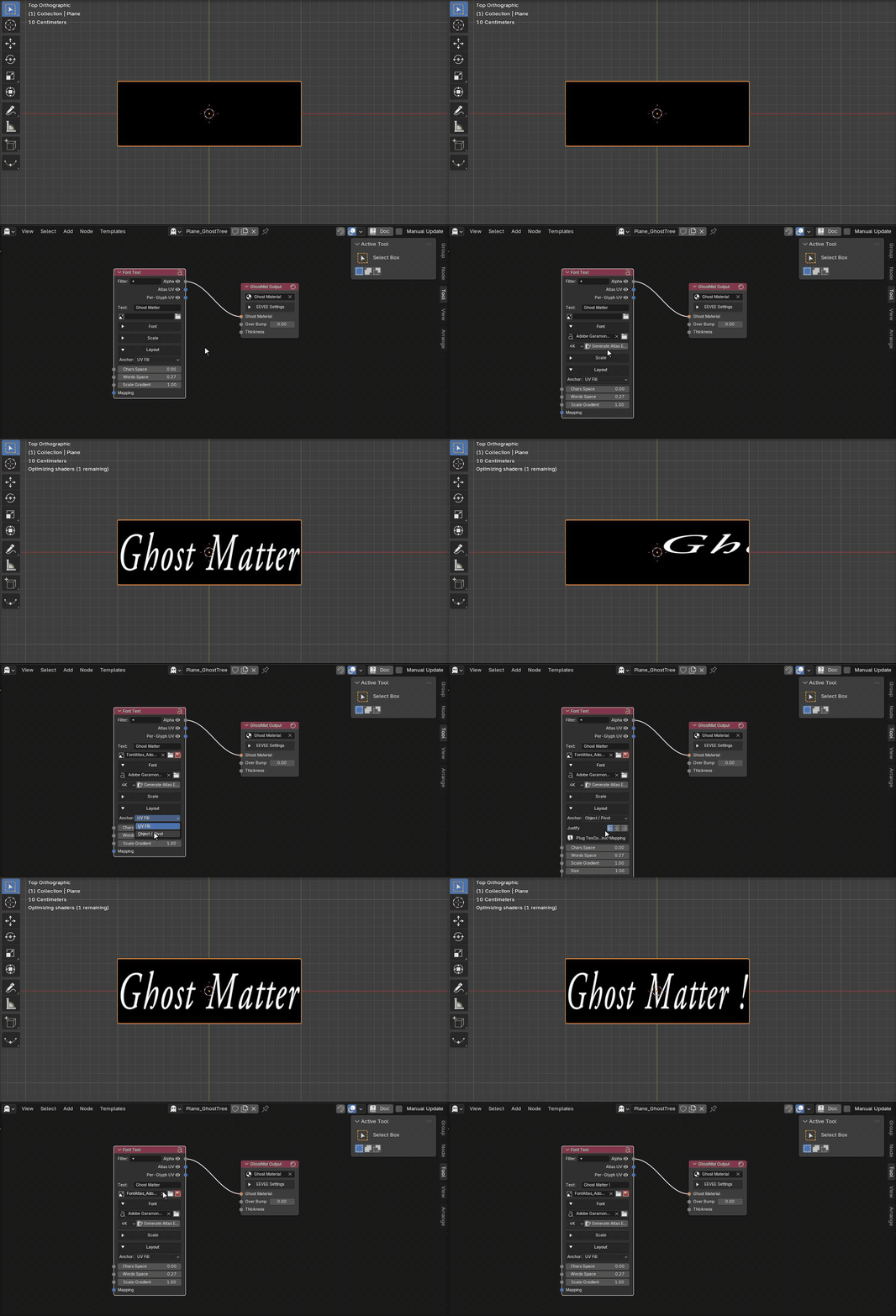
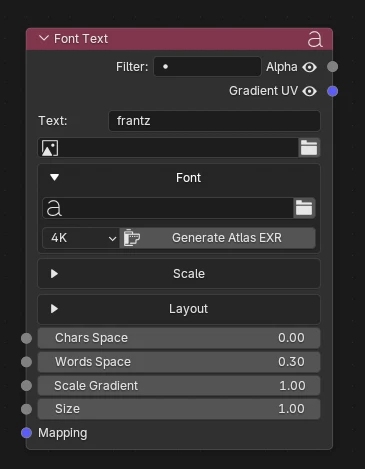
Renders a short text string inside your material — sampled from a pre-baked font atlas (built from any installed font with the Generate Atlas button). It outputs an Alpha mask of the text plus Atlas UV / Per-Glyph UV coordinates, with control over per-character spacing, scale (gradient or ramp along the word), anchoring (UV-Fill or Object / Pivot) and justification. Ideal for procedural, resolution-independent titles, labels or UI text driven entirely by nodes.
Alert
This node samples the atlas once per character, so it is designed for short text (titles, labels, a few words). A very long / large text string makes the node tree heavy and can overflow the UV.
For longer text — or to rasterize a whole text block — bake a real Blender Text object to a single image with the Text Object Tool instead.
Parameters
Text — the string to render.
Atlas Image — the baked font atlas used for rendering. Use the file icon to load an existing one, or generate a new one from the Font panel below.
Font panel
- Font — the installed font baked into the atlas.
- Atlas Size — resolution of the generated EXR atlas (1K → 8K).
- Generate Atlas EXR — bakes the chosen font into an atlas image and assigns it to Atlas Image.
Scale panel
- Size Source — how the per-character scale is driven:
- Gradient — from the Scale Gradient input (plug an external gradient / value).
- Ramp — an internal profile along the word (Scale Min → Scale Max, shaped by Scale Bias); enables Advance Scale.
- Advance Scale (Ramp only) — ON: each letter's advance follows its size (letters spread apart); OFF: fixed advance (larger letters overlap).
Layout panel
- Anchor:
- UV Fill — the text stretches to fill the quad's UV [0, 1]; justification has no effect.
- Object / Pivot — the text has a real size (Size input) and is placed relative to the object's pivot. Plug
TexCoord ▸ Objectinto Mapping. - Justify (Object / Pivot only) — puts the Left, Center or Right edge of the text at the pivot.
Inputs
- Chars Space — additive spacing between letters.
- Words Space — width of the space character (between words).
- Scale Gradient — per-character scale (Gradient mode).
- Scale Min / Scale Max — scale bounds (Ramp mode).
- Scale Bias — Ramp profile curve (1 = linear).
- Size — text size in object units (Object / Pivot mode).
- Mapping — UV / mapping input; falls back to
TexCoord.UV(orTexCoord.Objectin Object mode) when unplugged.
Outputs
- Alpha — the text mask (1 = glyph, 0 = background).
- Atlas UV — atlas-grid coordinates of the displayed glyph (each letter maps to its own cell → varies per letter).
- Per-Glyph UV — local [0, 1]² coordinates reset for every letter (the same mapping repeats identically on each glyph).
Example