Circuits Mask
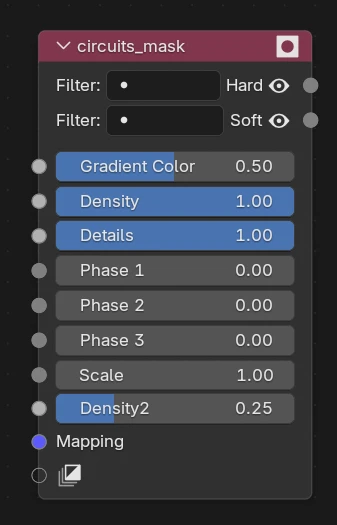
What's it for ?
Generates a procedural circuit-board / tech pattern — traces, nodes and connections — as a mask. Great for sci-fi surfaces, hologram panels and animated tech looks: the Phase inputs let you make the circuits flow and pulse over time, which is why it lives with the Mograph masks.
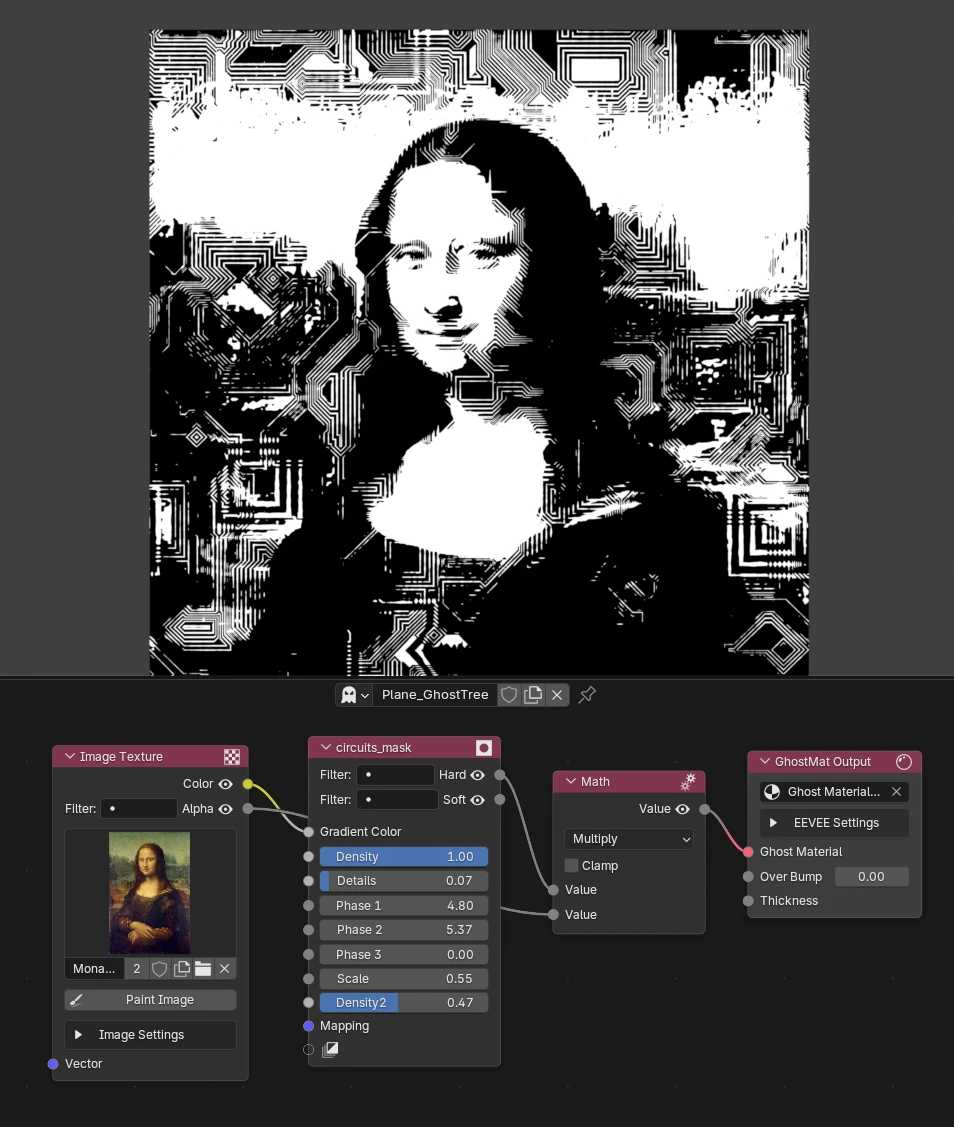
Inputs
Everything is exposed as sockets, so you can set a value inline or drive / keyframe it with other nodes.
- Gradient Color — a gradient / mask that modulates the pattern across the surface.
- Density — how many traces fill the pattern (higher = busier circuit).
- Details — amount of fine detail on the traces.
- Phase 1 / Phase 2 / Phase 3 — the animation hooks: shift these (or keyframe them) to make the circuit light up, flow and travel. Use the three phases for layered, offset motion.
- Scale — overall scale of the pattern.
- Density 2 — a second density layer, to overlay a finer or coarser circuit.
- Mapping — UV / mapping input for the pattern.
Outputs
- Hard — crisp, high-contrast mask (sharp traces).
- Soft — smooth mask with a gradient falloff (glow-friendly).
Tip
Plug Soft into an emissive mix and animate a Phase to get glowing circuits that pulse along the traces.