Palette Generator
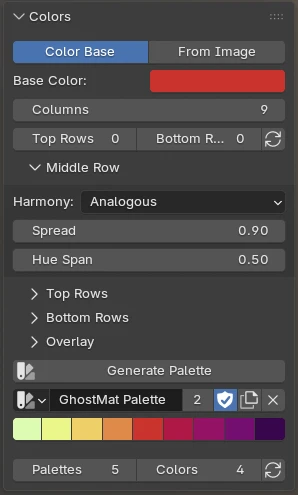
Build a harmonious color palette you can use anywhere in Blender (Vertex Paint, Texture Paint, the color picker…).
Found in the 3D View → sidebar (N) → GhostMatter tab → Colors panel.
How it works
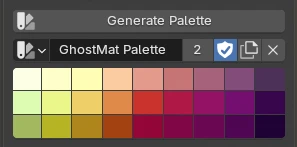
A palette is a grid of swatches: a middle row of colors, with optional lighter rows above and darker rows below.
You build the middle row from either a base color or an image, then press Generate Palette.
Color Base
Pick a Base Color and the palette is built around it.
- Harmony — how the colors are spread around the color wheel (Analogous, Complementary, Triad…).
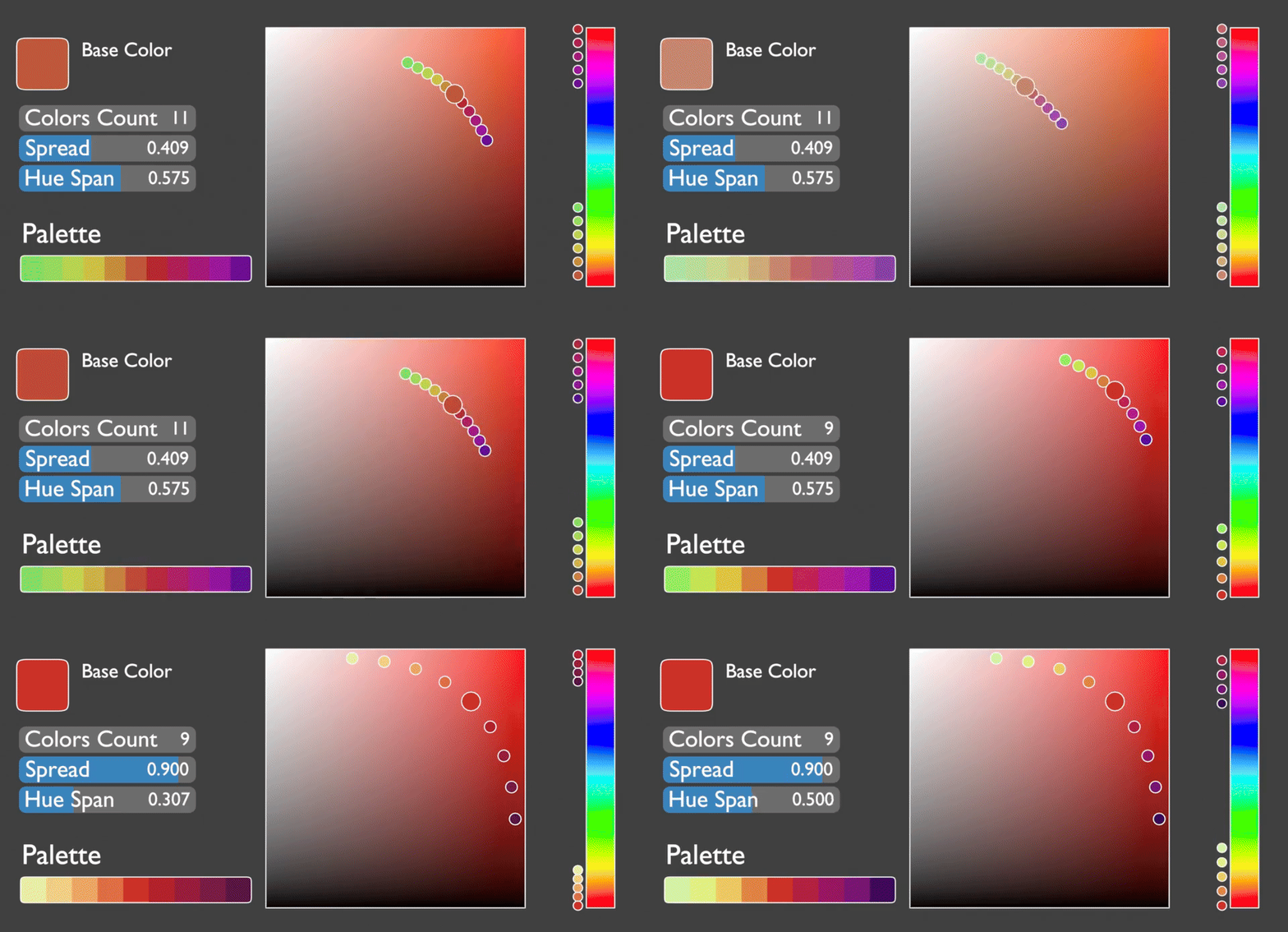
- Spread — how far the colors range from light to dark.
- Hue Span — how much the hue shifts across the row.
From Image
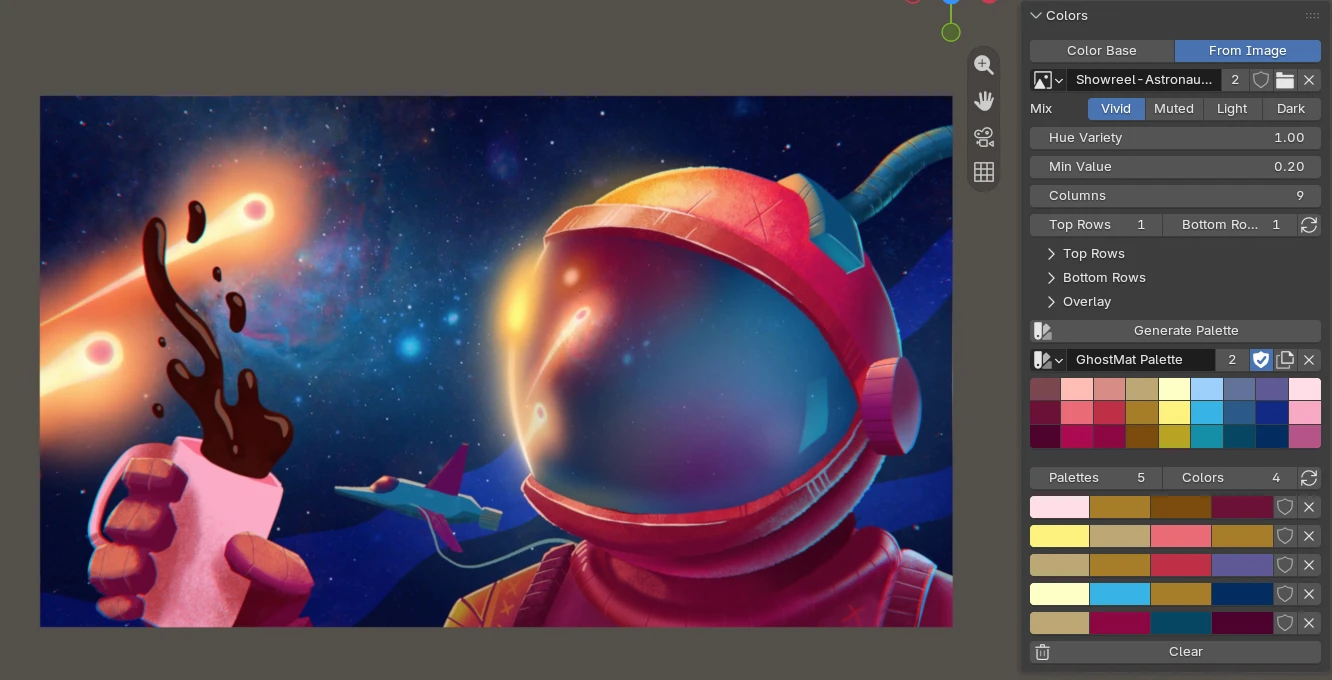
Pick an image and the palette is taken from its colors — great to match an existing artwork or reference.
- Mix — Vivid / Muted / Light / Dark — add more of that kind of color to the palette. Leave them all off for the main colors; turn on Vivid to bring in bright accents, Dark for shadows, etc.
- Hue Variety — push it up to get a wider range of different colors (a full rainbow, including small but striking accents). Keep it low to stay close to the most present colors.
- Min Value — hides colors that are too dark. Raise it to drop shadow colors, lower it to keep them.
Rows
- Columns — number of colors in the row.
- Top Rows / Bottom Rows — add lighter rows above and darker rows below.
- Top Rows / Bottom Rows sections — fine-tune the hue, saturation and brightness of those lighter and darker rows.
Tip
You can edit any swatch by hand. Your middle-row edits are kept when you tweak the top/bottom rows. After hand-editing a middle color, press the small 🔄 button (next to Top/Bottom Rows) to refresh the lighter/darker rows from it.
Overlay
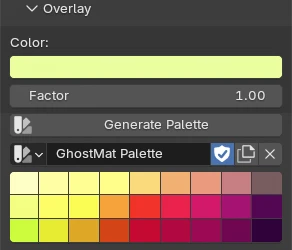
Blend a single Overlay color over the whole palette to unify it toward one tint. Set the Factor to 0 to turn it off.
Random palettes
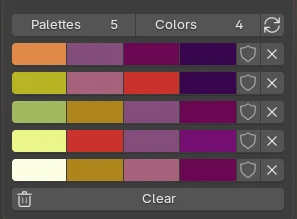
Quickly explore smaller color combinations picked from your palette.
- Palettes — how many to create.
- Colors — colors per palette.
- 🔄 — generate them. Each one comes out balanced (a bright accent, a neutral base, and a good light-to-dark range).
For each palette:
- the shield / fake-user toggle keeps it when you regenerate (otherwise it gets replaced),
- the ✕ deletes it.
The Clear button removes all the palettes you haven't kept.