Vector Untile
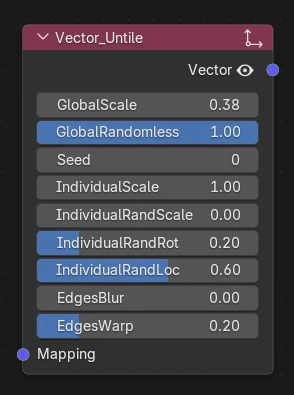
What's it for ?
Breaks the visible repetition of a tiled texture. It chops the UV / mapping into cells and gives each cell its own random scale, rotation and offset, so a texture sampled through it stops looking tiled — no more obvious grid across large surfaces (ground, walls, fabric…).
Tip
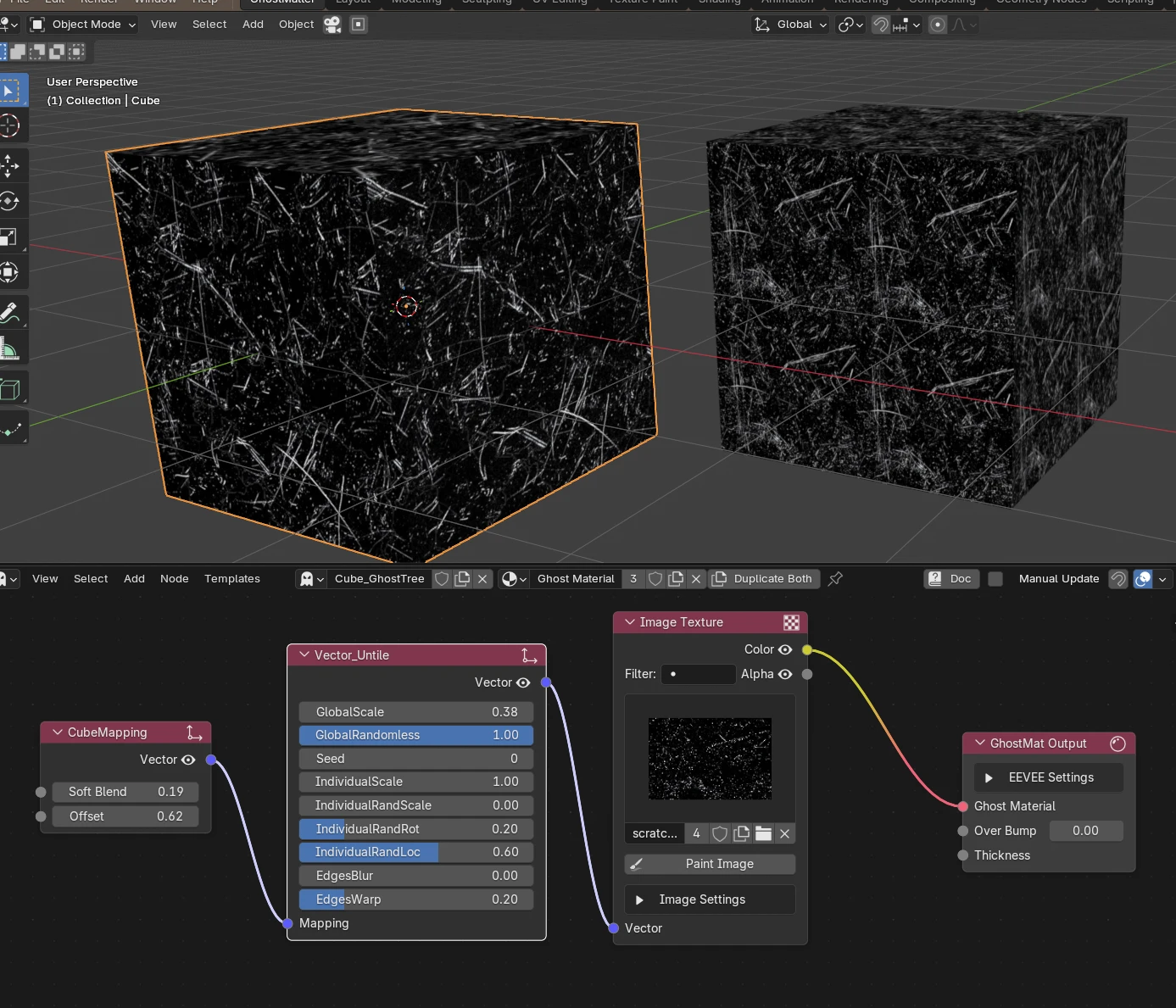
Plug a Mapping (UV) into it and feed its Vector output into a texture's Vector input. Raise EdgesBlur to soften the seams between cells, and EdgesWarp to make the cell boundaries irregular so they're harder to spot.
Example
Inputs
- Mapping — the UV / mapping to untile; falls back to the default UV when unplugged.
Outputs
- Vector — the untiled vector; plug it into a texture's Vector input.
Parameters
Global
- GlobalScale — overall size of the untiling cells (bigger = larger patches, fewer repeats visible).
- GlobalRandomness — how strongly the whole pattern is randomized (0 = regular, 1 = full randomization).
- Seed — changes the random pattern; step it to try different variations.
Per cell
- IndividualScale — base scale applied inside each cell.
- IndividualRandScale — random scale variation from cell to cell.
- IndividualRandRot — random rotation per cell.
- IndividualRandLoc — random offset (position) per cell.
Edges
- EdgesBlur — softens / blends the transition between neighbouring cells (hides the seams).
- EdgesWarp — distorts the cell boundaries so the grid isn't straight, making the tiling even harder to notice.